Ordering
The ordering flow takes customers from browsing the menu through customization to checkout.
Flow Overview
Browsing the Menu
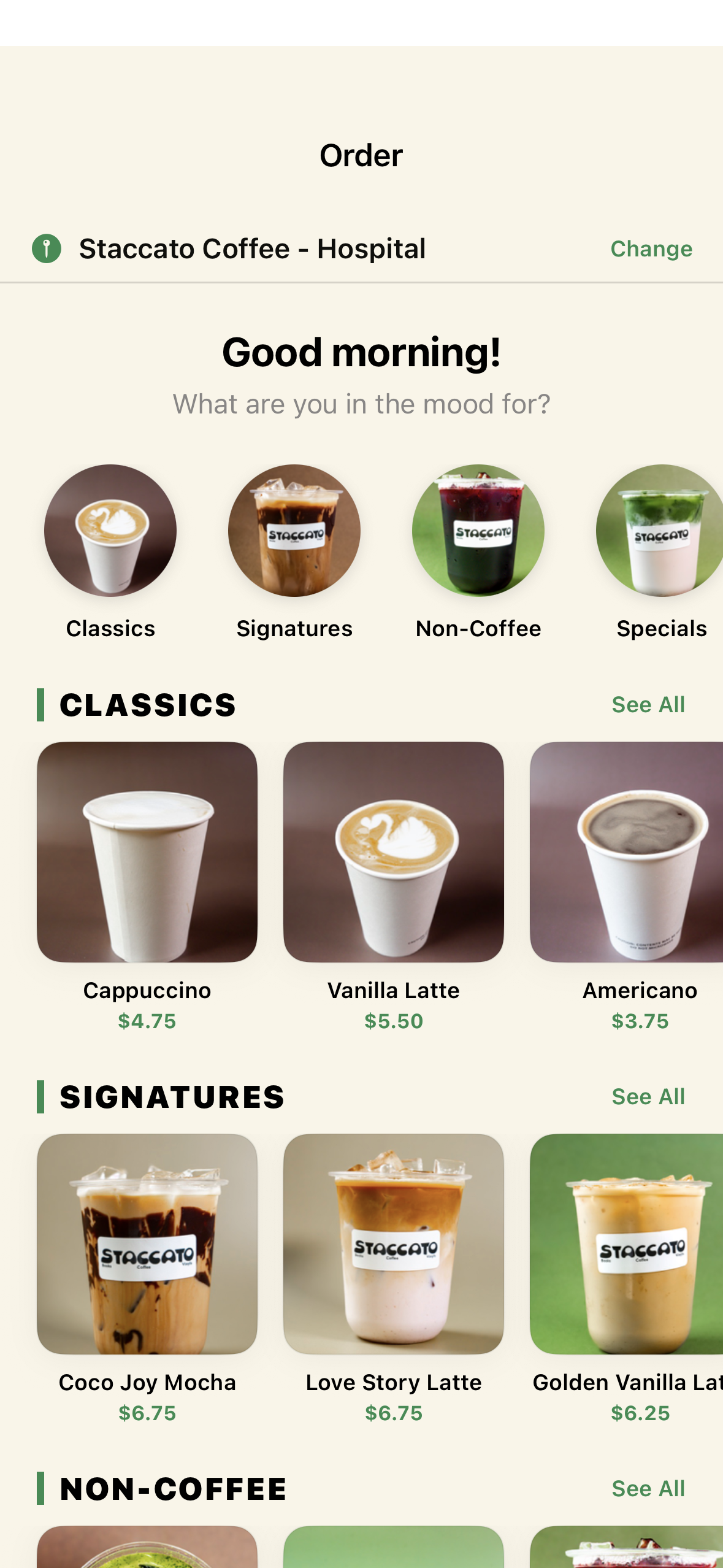
The Order tab (MenuTabView) displays the full menu organized by category:
- Categories: Coffee, Tea, Food (shown as filter chips at top)
- Search: Real-time search by item name or description
- Featured Items: Highlighted on the Home tab
- Item Cards: Show name, description, price, and stars earned
Customizing Items
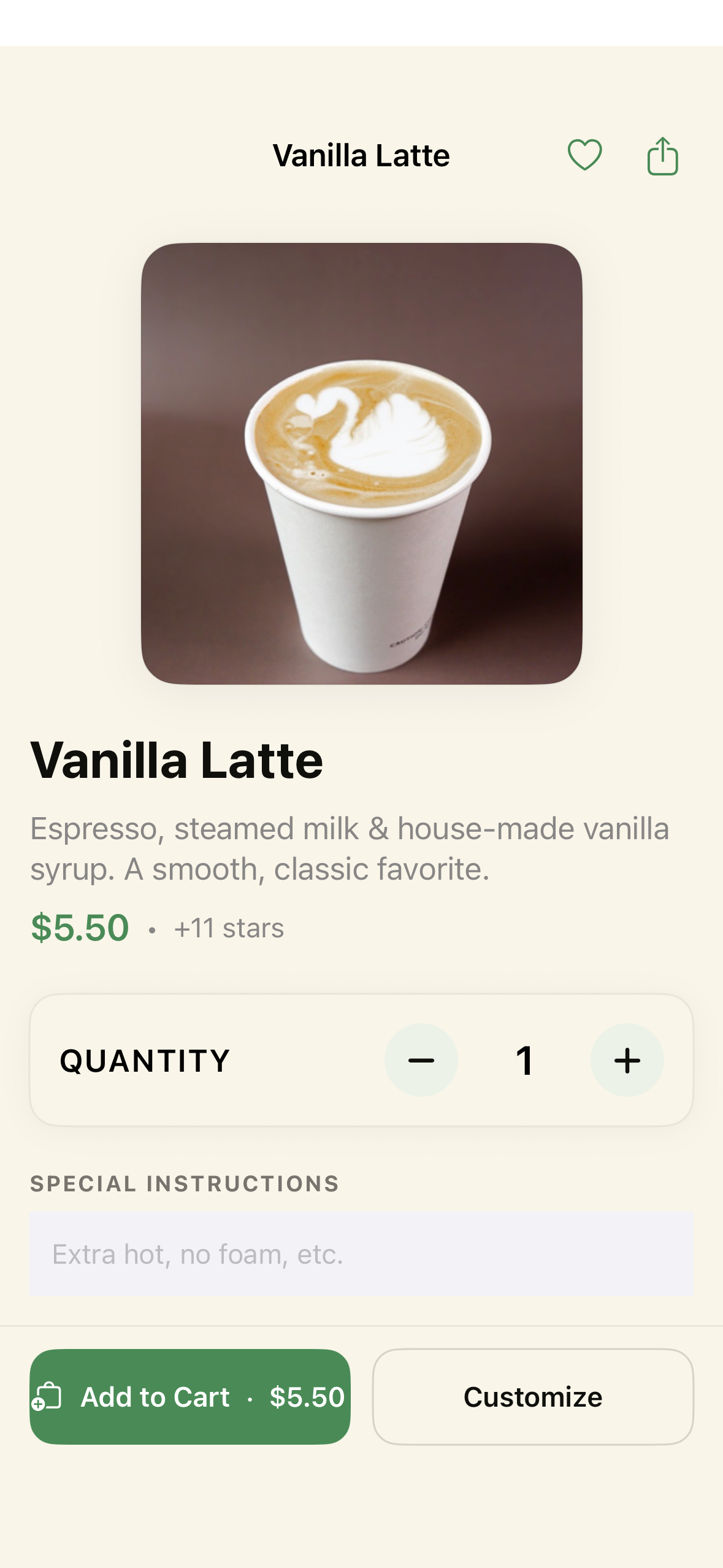
Tapping an item opens ItemDetailSheet with available modifier groups:
| Modifier Group | Type | Options |
|---|---|---|
| Size | Required, single select | Small (12oz), Medium (16oz, +$0.50), Large (20oz, +$1.00) |
| Milk | Required, single select | Whole, 2%, Oat (+$0.80), Almond (+$0.80), Coconut (+$0.80) |
| Extras | Optional, multi select (up to 5) | Extra Shot (+$1.00), Vanilla Syrup (+$0.60), Caramel Syrup (+$0.60), Whipped Cream (+$0.50) |
The item detail shows:
- Live price calculation as modifiers are selected
- Stars to be earned for this item (2 per $1)
- Quantity selector
- Optional notes field
Shopping Cart
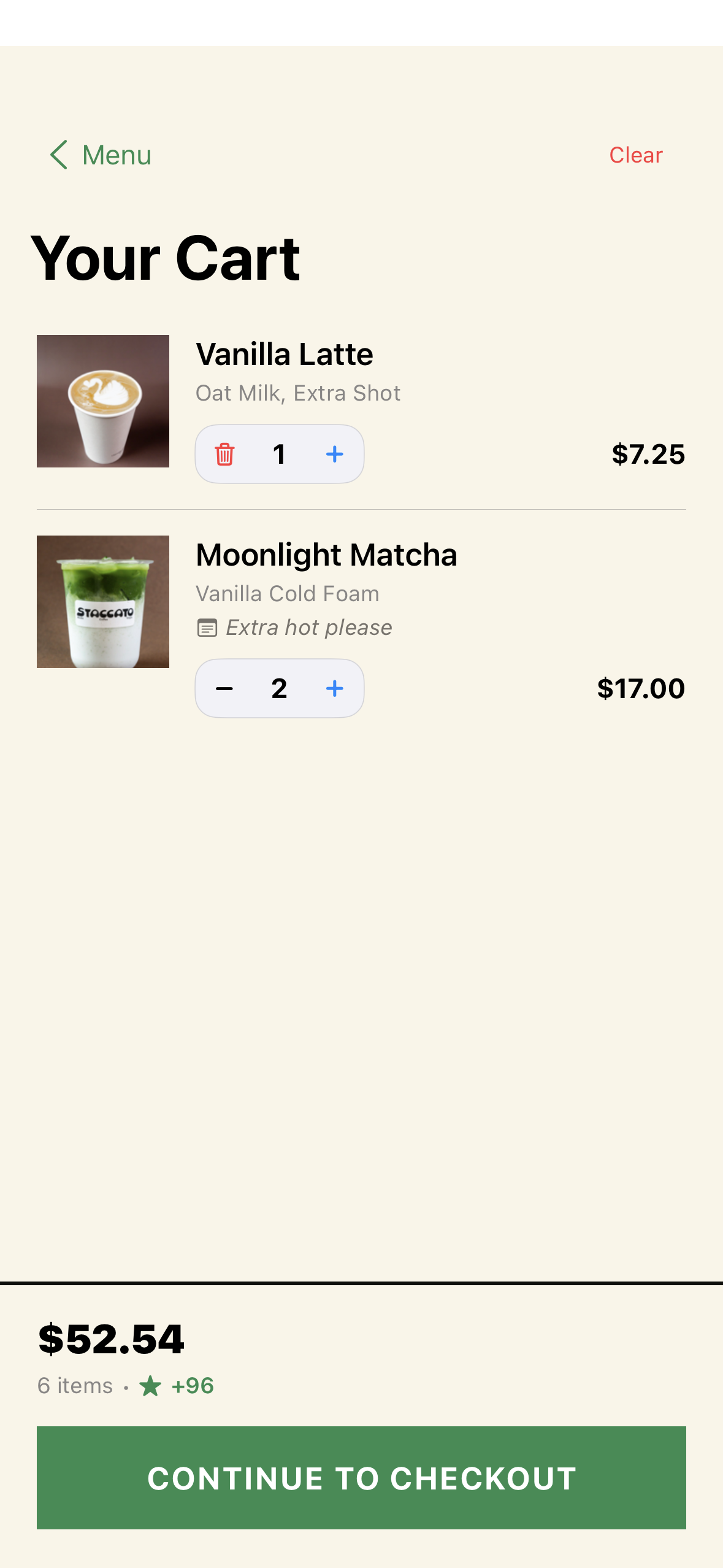
The cart (CartSlideOver) slides up from a button overlay and shows:
- All items with their modifiers
- Quantity controls (increment/decrement)
- Per-item pricing (base + modifiers × quantity)
- Subtotal, tax (8.5%), and total
- Total stars to be earned
- Cart persists across app restarts via
UserDefaults
Checkout
Tapping “Checkout” from the cart opens CheckoutSheet:
- Order Summary: Final review of all items
- Payment Method: Choose from:
- Apple Pay (if available)
- Card entry (manual)
- Pay at Counter
- Tip Selection: Optional tip amount
- Place Order: Submits the order
After Ordering
- Order is created with status
pending - Stars are awarded to the loyalty account
- Order syncs to Square POS (non-blocking)
- Customer can track status in the Account tab → Order History
- Real-time status updates: pending → in_progress → ready → completed