Cart & Checkout
CartSlideOver
File: Views/Cart/CartSlideOver.swift
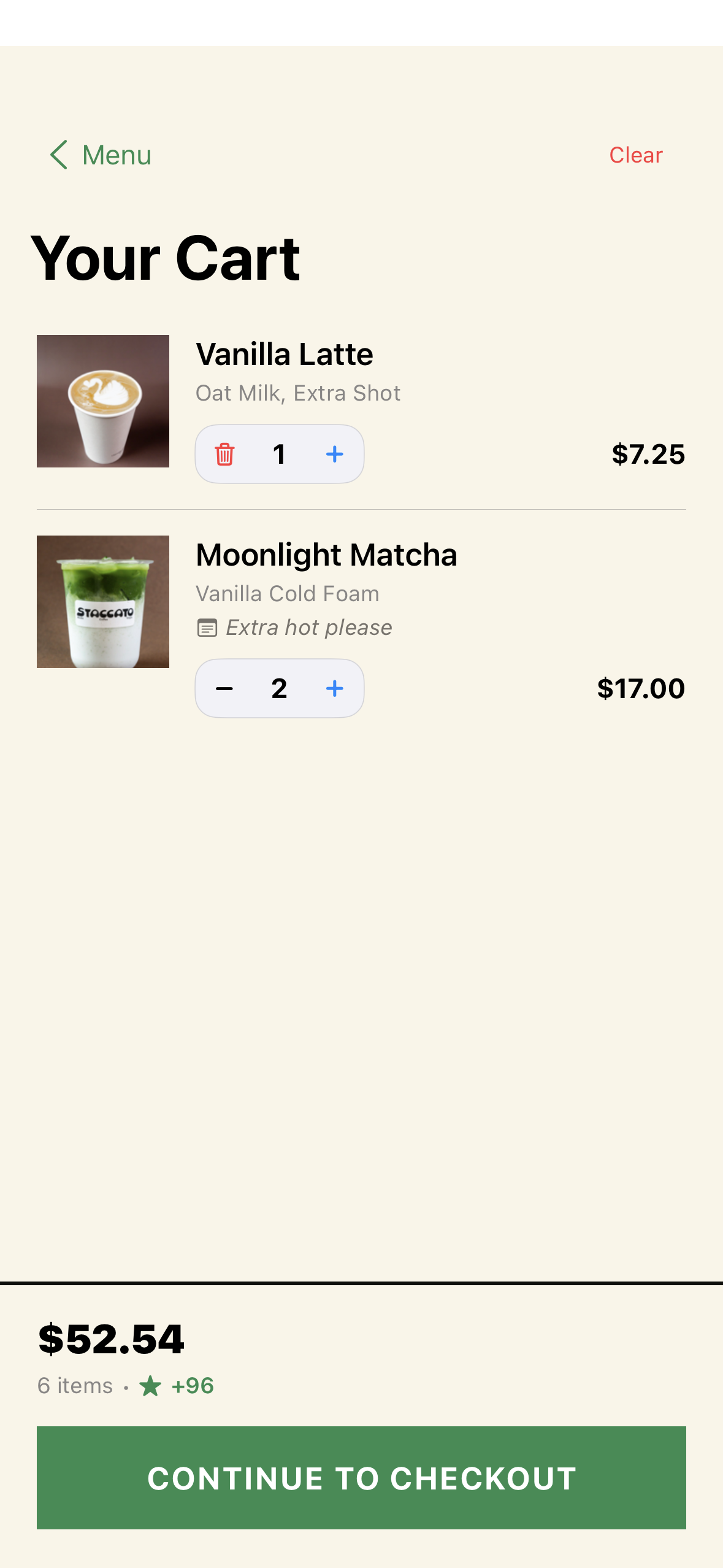
A slide-up cart view accessible from the cart button overlay on any tab.
Features
- Item list: Each item shows name, modifiers, quantity, price
- Quantity controls: Increment/decrement per item, remove if quantity reaches 0
- Order summary: Subtotal, tax (8.5%), total
- Stars earned: Total stars for this order
- “Checkout” button: Opens
CheckoutSheet - Empty state: Message when cart is empty
Cart Persistence
Cart data is saved to UserDefaults via CartStorageService with key staccato-cart. The cart survives app restarts.
CheckoutSheet
File: Views/Checkout/CheckoutSheet.swift
The final checkout flow presented as a sheet.
Steps
- Order Review: Final item list with totals
- Payment Selection: Choose payment method
- Tip Selection: Optional tip amount
- Confirm: Place order button
Payment Methods
| Method | View | Description |
|---|---|---|
| Apple Pay | ApplePayButton | Native Apple Pay sheet via PassKit |
| Card | CardEntryView | Manual card number entry |
| Pay at Counter | — | No payment processing needed |
Checkout Flow
- Customer reviews order and selects payment
CheckoutViewModel.processCheckout():- Processes payment via
SquarePaymentService - Creates order via
OrderService.createOrder() - Awards stars to loyalty account
- Syncs to Square POS (non-blocking)
- Clears cart on success
- Processes payment via
- Shows success confirmation
- Dismisses sheet
CardEntryView
File: Views/Checkout/CardEntryView.swift
Manual card entry form with fields for:
- Card number
- Expiration date
- CVV
- ZIP code
ApplePayButton
File: Views/Checkout/ApplePayButton.swift
SwiftUI wrapper for PKPaymentButton that triggers the Apple Pay payment flow.