Menu Views
MenuTabView
File: Views/Menu/MenuTabView.swift
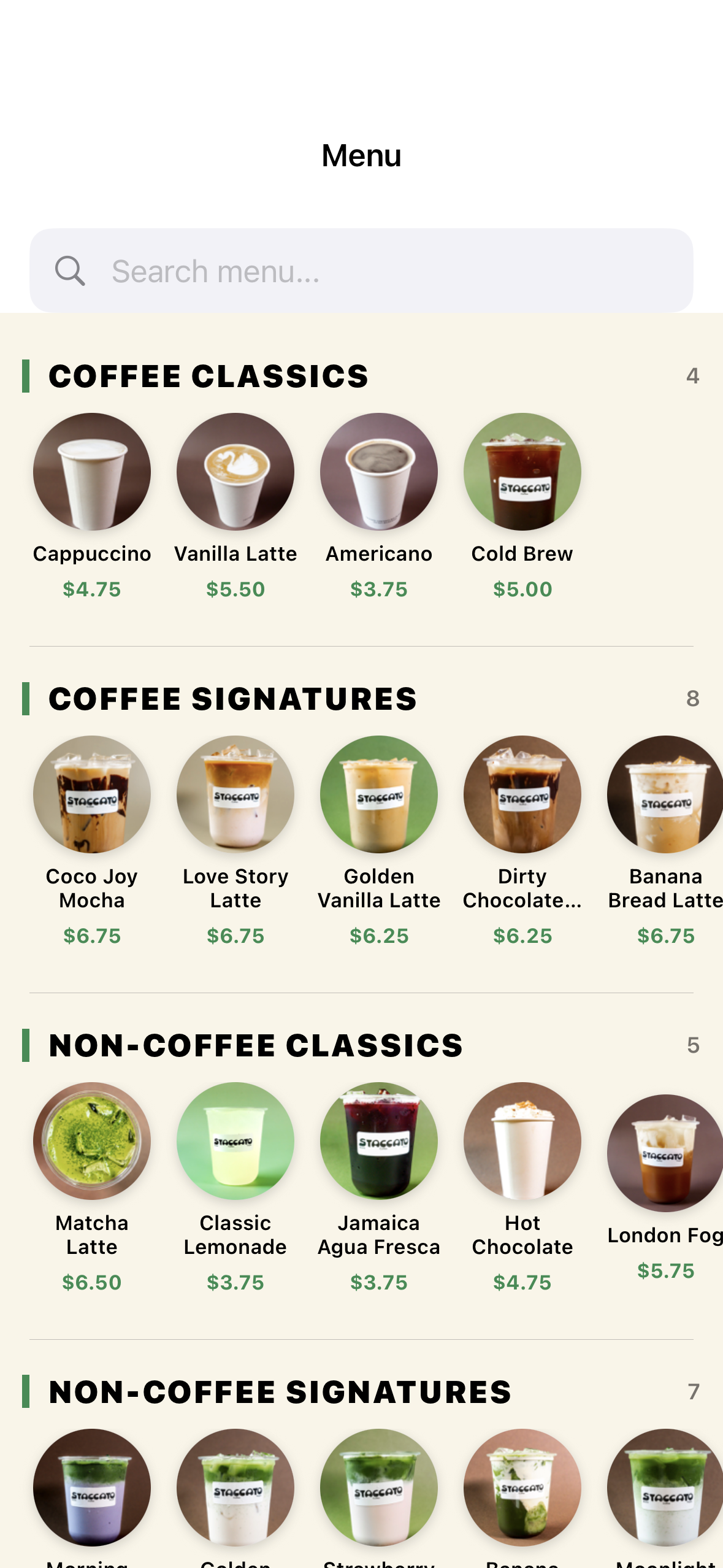
The main menu browsing view in the Order tab.
Features
- Category filter chips: All, Coffee, Tea, Food (horizontal scroll)
- Search bar: Real-time filtering by name and description
- Item grid/list: Menu items with name, description, price, stars earned
- Pull to refresh: Reloads menu data
- Loading state: Skeleton/progress indicator while loading
Data Flow
MenuViewModel.loadCategories()→ category chipsMenuViewModel.loadMenuItems(category:)→ filtered item list- Tap item →
MenuViewModel.loadItemDetails(id:)→ opensItemDetailSheet
ItemDetailSheet
File: Views/Menu/ItemDetailSheet.swift
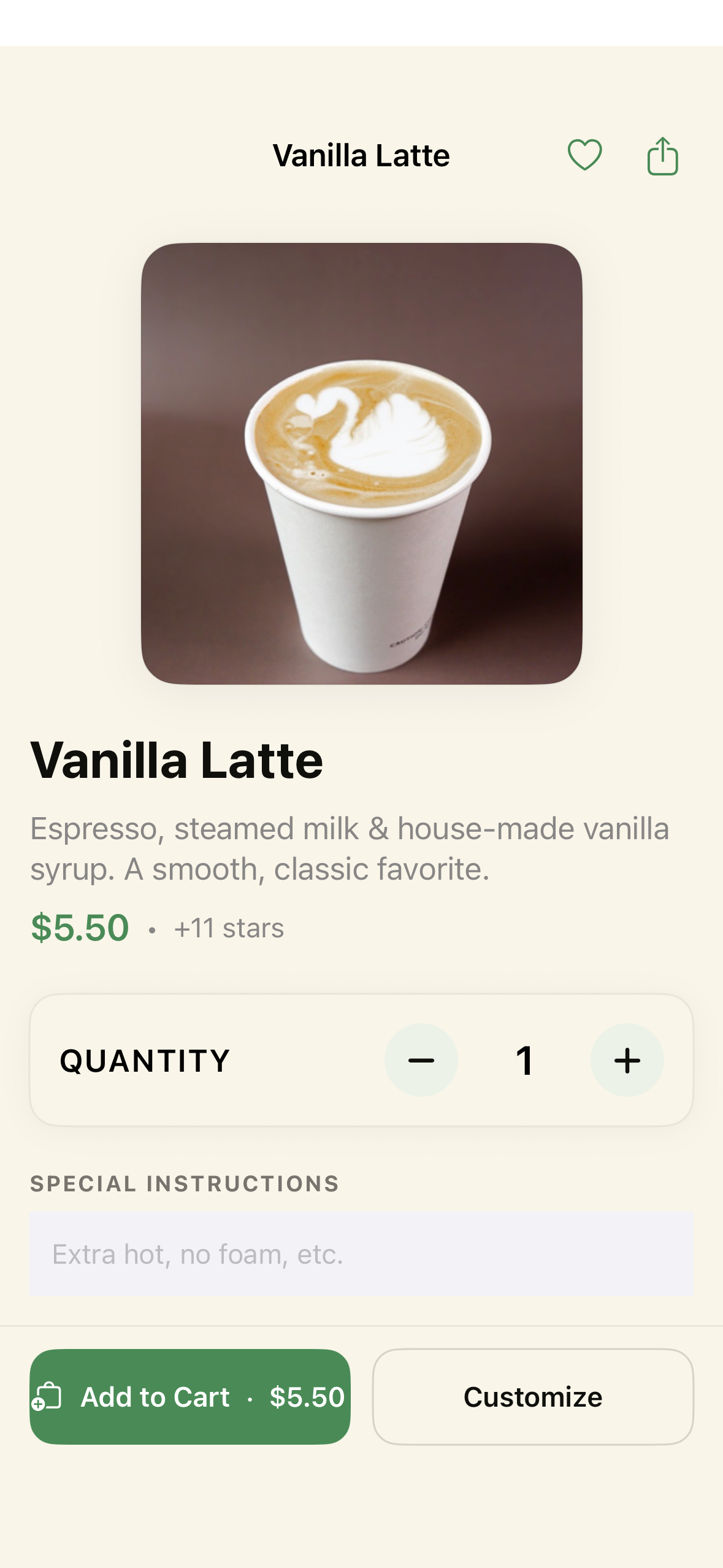
A bottom sheet showing full item details with customization options.
Layout
- Item image (if available)
- Name and description
- Base price and stars earned
- Modifier groups (each with selection controls):
- Required groups: Must select (e.g., Size, Milk)
- Optional groups: Can skip or multi-select (e.g., Extras)
- Single select: Radio button style
- Multi select: Checkbox style
- Price calculator: Updates live as modifiers change
- Quantity selector: +/- buttons
- Notes field: Optional special instructions
- “Add to Cart” button: Shows total price
Interaction
- Selecting a modifier updates the displayed price immediately
- Required groups must have a selection before “Add to Cart” is enabled
- Adding to cart calls
CartViewModel.addItem()and closes the sheet